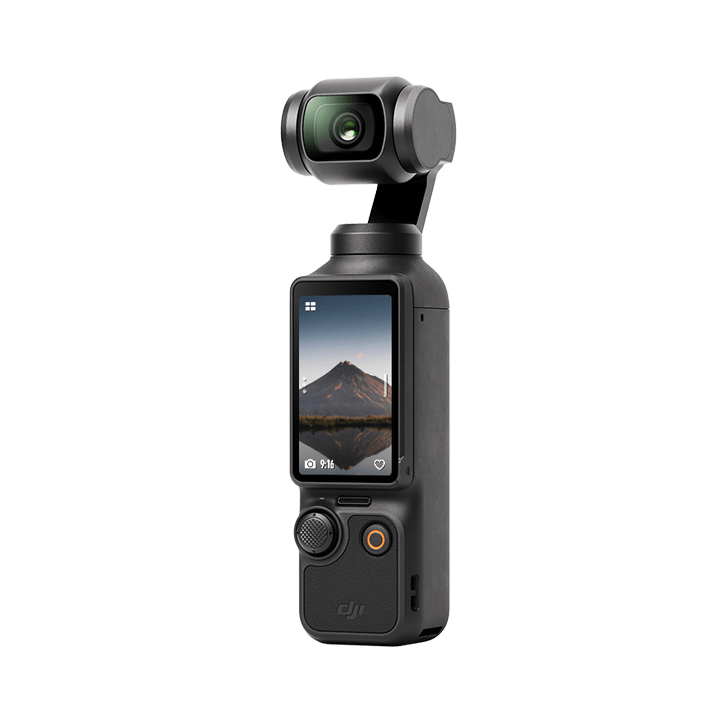
For the DJI Osmo Pocket 3, buy a name-brand microSD card rated U3 / V30 (or better) in 128 GB or 256 GB. That matches the cards DJI itself lists as recommended, and it is enough for roughly two to four hours of footage at the camera’s top bitrate. The newer Osmo Pocket 4 has 107 GB of built-in storage, but the same kind of card is still the easy way to add more room.
What DJI says the cameras support
Both cameras use a microSD card (not full-size SD) and the exFAT file system, and DJI lists support for cards up to 1 TB. The big difference is that the Pocket 4 also has built-in storage, while the Pocket 3 has none, so a card is mandatory on the Pocket 3.
| Spec (per DJI) | Osmo Pocket 3 | Osmo Pocket 4 |
|---|---|---|
| Card type | microSD, up to 1 TB | microSD, up to 1 TB |
| Built-in storage | None | 107 GB |
| Max video bitrate | 130 Mbps | 180 Mbps |
| Video format | MP4 (H.264/HEVC) | MP4 (HEVC) |
| File system | exFAT | exFAT |
| DJI-listed card ratings | UHS-I Speed Grade 3 / V30 on several listed models; some UHS-II | U3, A2, V30 microSDXC |
What the card ratings mean
- U3 / V30: a guaranteed minimum sustained write speed of 30 MB/s. Video at these bitrates needs far less than that, so U3/V30 is the safe baseline, not an upgrade to chase.
- A1 / A2: app performance ratings. They matter little for video, but DJI’s Pocket 4 list uses A2 cards, so they are a handy tie-breaker.
- microSDXC: the standard class for cards over 32 GB. Make sure it is microSD, not a full-size SD card.
- Brand and seller: counterfeit cards are common on marketplaces. Buy from the brand’s own store or a major retailer.
Cards DJI lists as recommended
DJI’s spec pages name specific models. For the Pocket 3 they include the SanDisk Extreme Pro (V30 A1 UHS-I), Kingston Canvas Go! Plus, Kingston Canvas React Plus (UHS-II), Lexar Pro and Lexar Silver Plus. For the Pocket 4 the list covers Lexar Silver Plus and Kingston Canvas Go! Plus in capacities from 64 GB to 1 TB. A card not on the list can still work, but the listed ones are the ones DJI has tested.
How much footage fits? (our own estimate)
These numbers are the site’s rule-of-thumb math, not DJI figures. We divided each camera’s maximum video bitrate by 8 to get MB per second, then converted to GB per hour: about 58 GB/hour for the Pocket 3 (130 Mbps) and about 81 GB/hour for the Pocket 4 (180 Mbps). Real files are usually smaller because the camera does not always record at the maximum, and usable card space is slightly less than the label.
| Card size | Pocket 3 (worst case) | Pocket 4 (worst case) |
|---|---|---|
| 64 GB | about 1 hr 5 min | about 47 min |
| 128 GB | about 2 hr 10 min | about 1 hr 35 min |
| 256 GB | about 4 hr 20 min | about 3 hr 10 min |
| 512 GB | about 8 hr 40 min | about 6 hr 15 min |
| 107 GB built-in (Pocket 4) | n/a | about 1 hr 15 min |
Who should buy what
- Casual travel and family clips (Pocket 3): 128 GB is plenty. Offload to your phone or computer every night.
- Weekend vloggers and event shooters: 256 GB gives a full day of shooting without worrying about space.
- Pocket 4 owners: the 107 GB internal storage covers a typical shoot. Add a 128 GB or 256 GB card if you record long takes or travel without a laptop. Newsshooter reports DJI claims transfer speeds up to 800 MB/s from the built-in storage.
- Who can skip a 1 TB card: most people. It costs far more per day of shooting, and one lost or corrupted card then takes everything with it. Several smaller cards are safer.
Quick tips to avoid card problems
- Format the card in the camera (exFAT), not on your computer, the first time you use it.
- Back up footage before you delete anything, and do not pull the card while the camera is recording or powering down.
- Keep a spare card in your bag. At these sizes a spare is cheap insurance.
FAQ
Does the Osmo Pocket 3 have internal storage?
No. DJI’s spec page says the camera has no built-in storage, so you need a microSD card before you can record.
Can I use a UHS-I card, or do I need UHS-II?
UHS-I Speed Grade 3 (U3/V30) cards are on DJI’s recommended list for both cameras, and they are fast enough for the cameras’ maximum bitrates. UHS-II is optional.
What is the largest card I can use?
DJI lists microSD cards up to 1 TB for both the Pocket 3 and Pocket 4.
Does the Pocket 4 still need a microSD card?
Not strictly, since it has 107 GB built in. A card gives you more recording time and a way to swap storage mid-shoot.
Sources
- DJI: Osmo Pocket 3 specs (checked November 2026)
- DJI: Osmo Pocket 4 specs (checked November 2026)
- Newsshooter: DJI Osmo Pocket 4 announcement
Disclosure: the author of PocketCam Daily is affiliated with KONOVA, the maker of the DS3 slider below.